Getting a job request for a venue you’d rather not take is a small, recurring annoyance that adds up faster than anyone expects. Whether it’s a festival gig that sounds fun in theory and then you remember it’s a portable table, a generator hum, and someone’s cousin asking if you do the thing with the hot rocks, or simply a setting that’s just not your thing, you now have a say in which venue types actually reach your inbox.
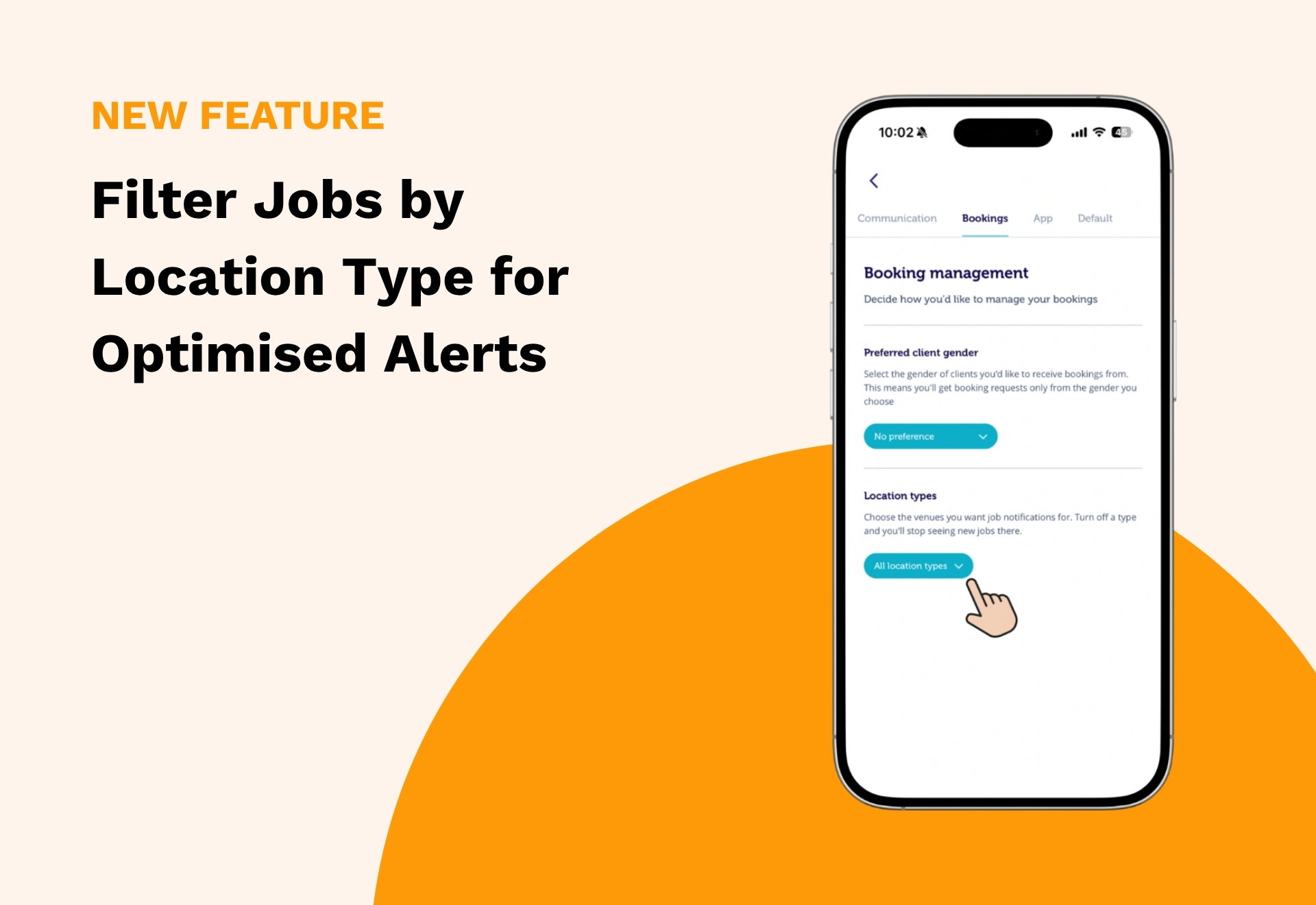
You can now choose exactly which location types you want to receive job requests for, right from the Blys Pro app or your Pro Dashboard.
What’s New
Location Types lets you switch specific venue categories on or off, so job requests only come through for the settings you’re actually happy to work in. No more requests for venues you always decline anyway, and no more digging through notifications to find the ones that are actually relevant to you.
How It Works
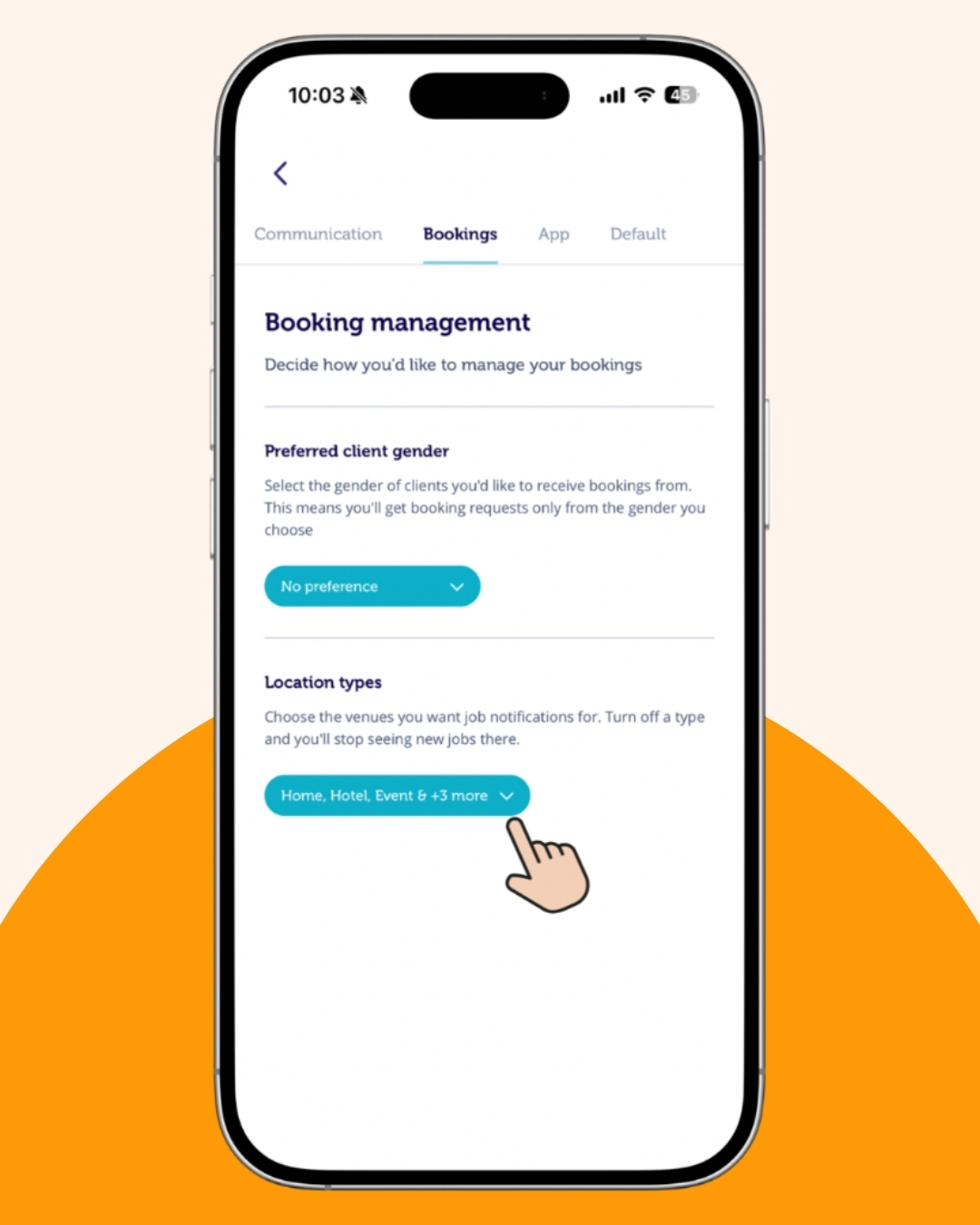
For Mobile
Filtering your job requests by venue type takes less than a minute:
1. Open the Blys Pro app and tap Profile.
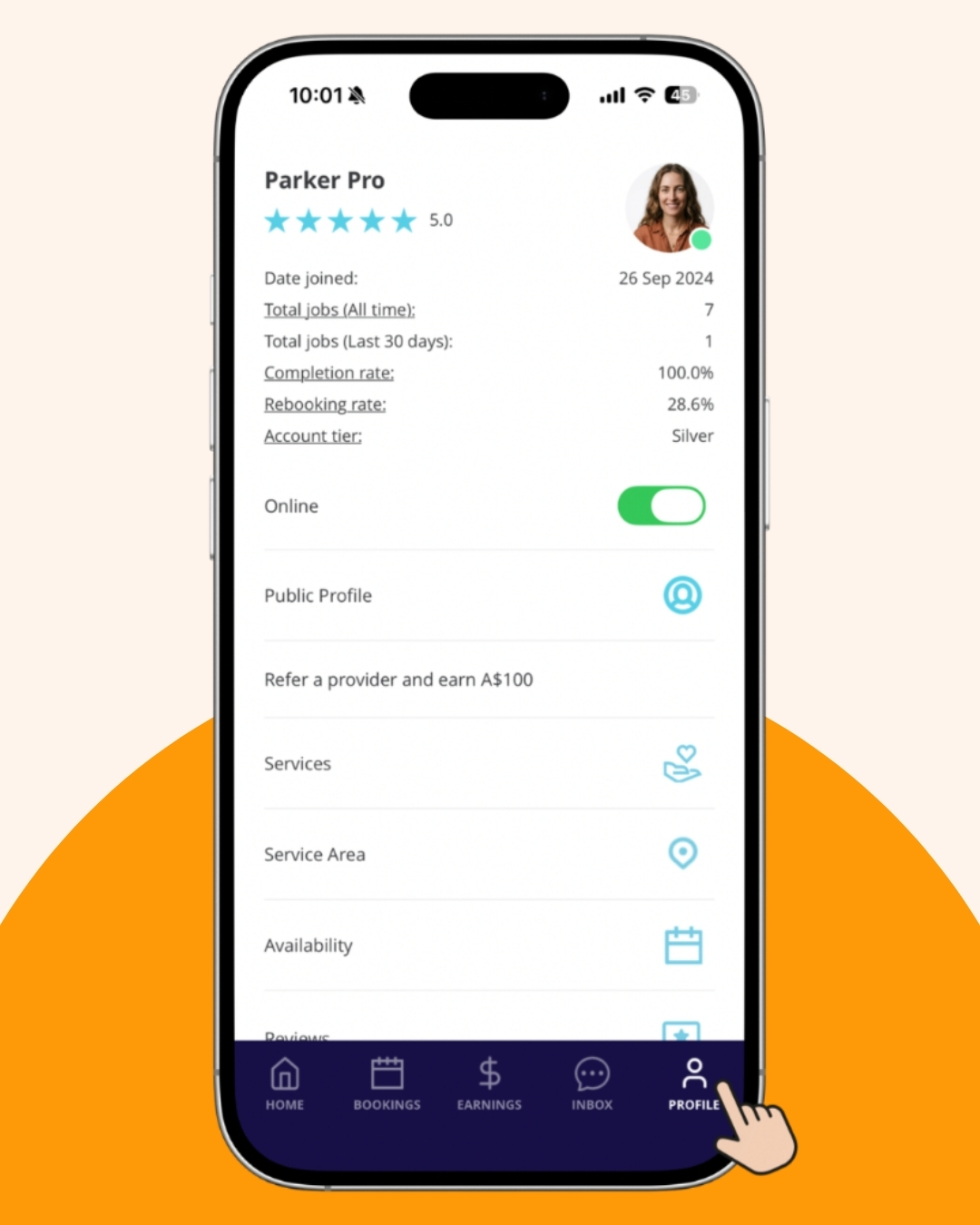
2. Go to Settings.
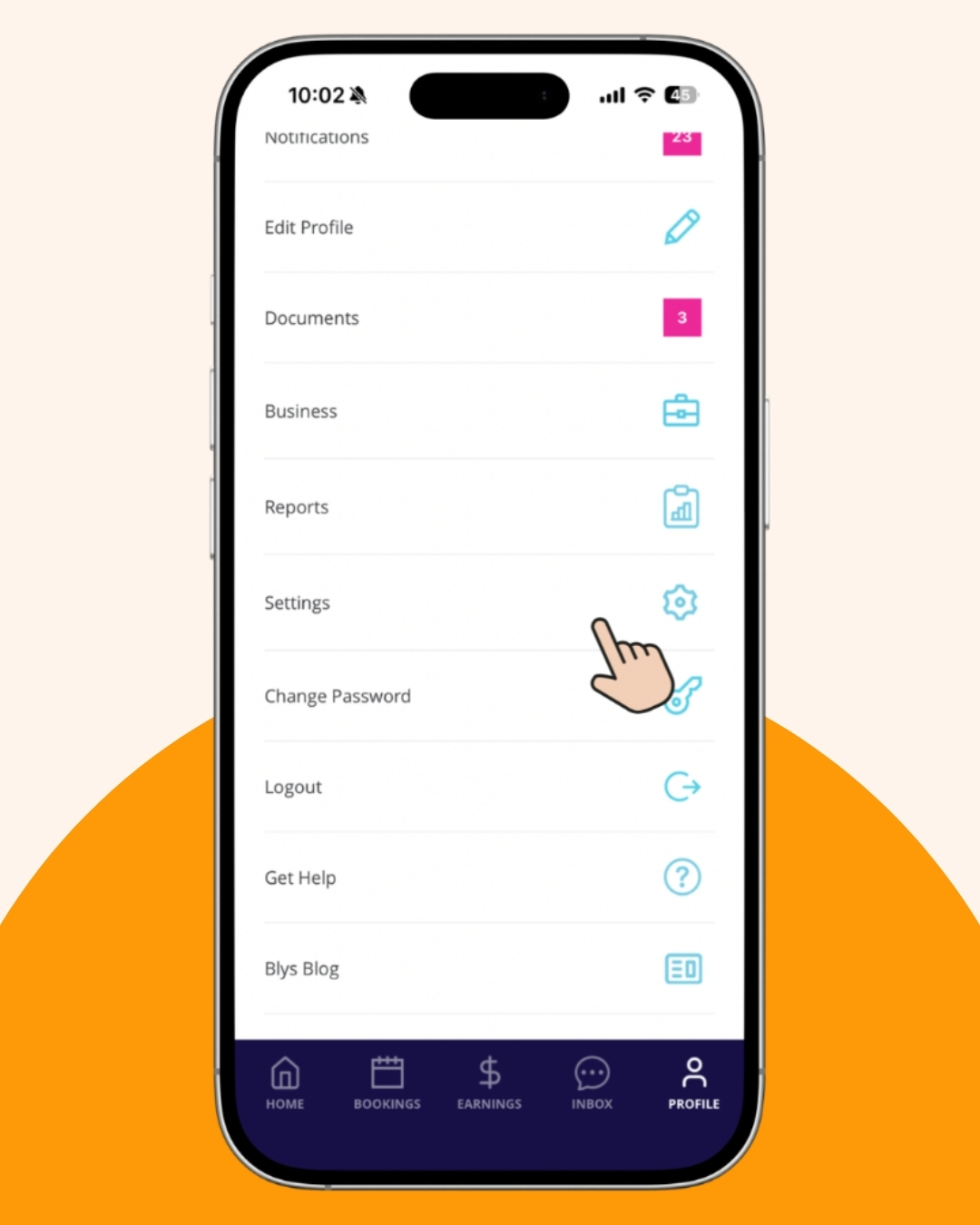
3. Tap the drop-down option in Location Types under Bookings.
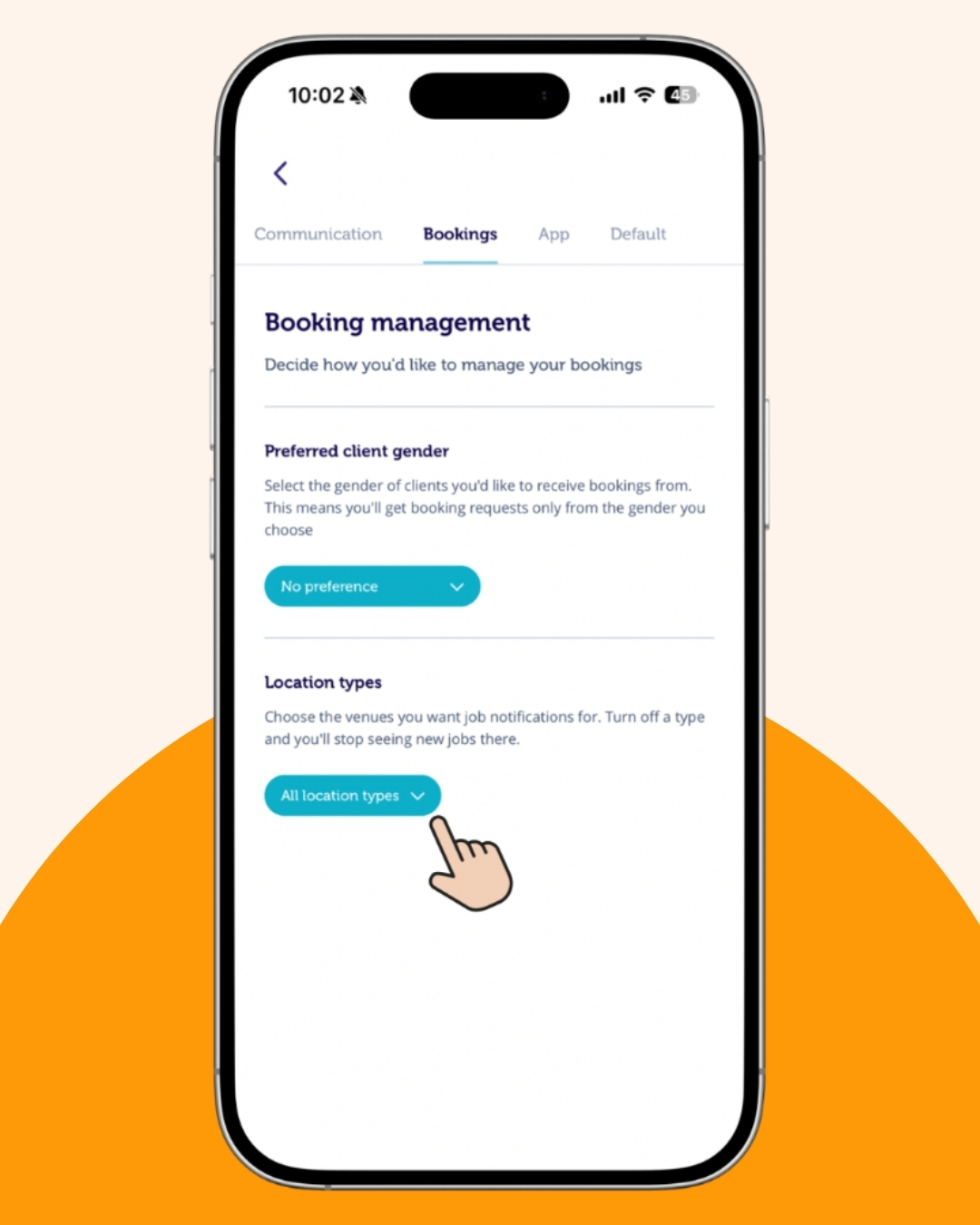
4. All locations are turned on by default.
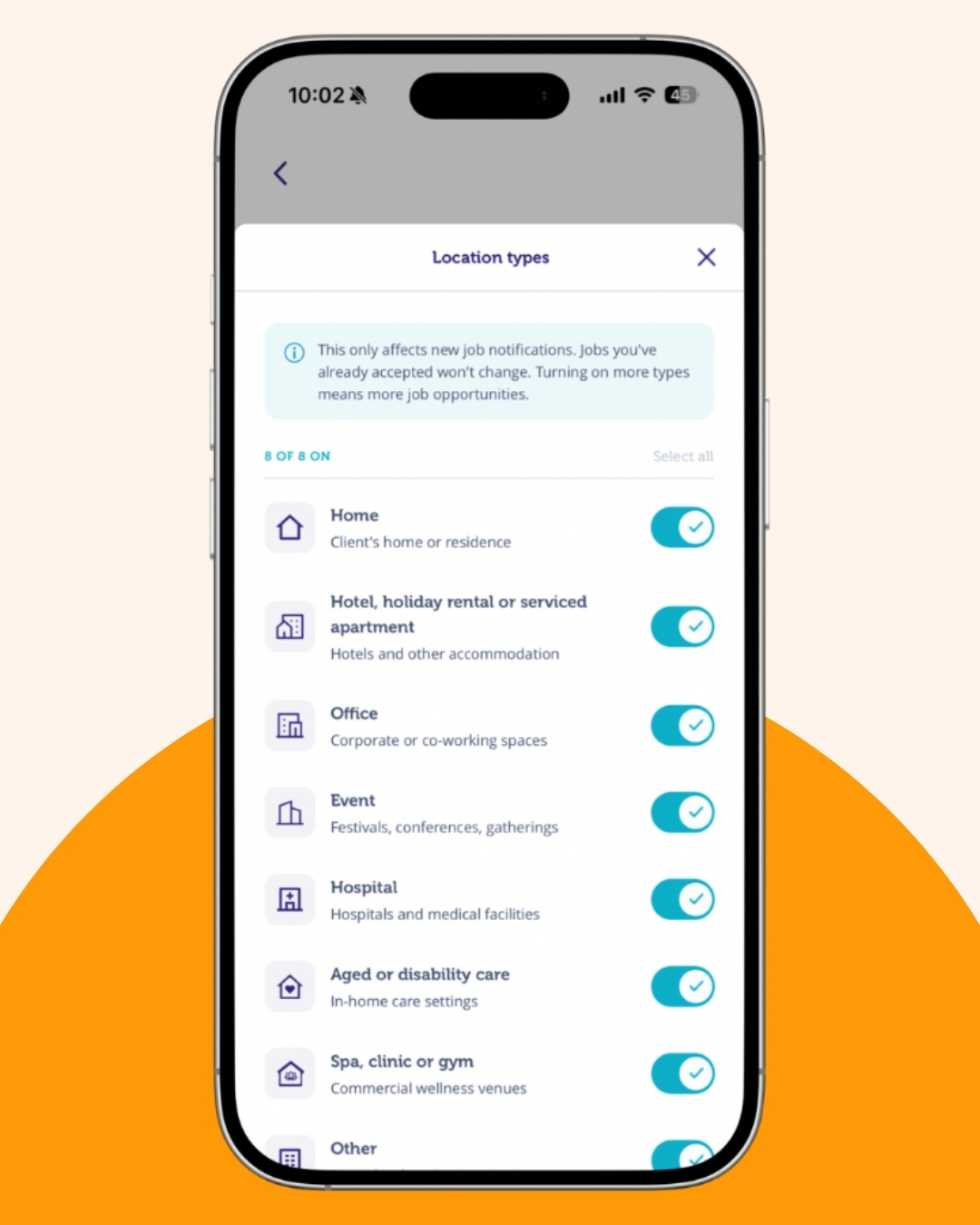
5. Turn each location type on or off based on the job requests you want to receive.
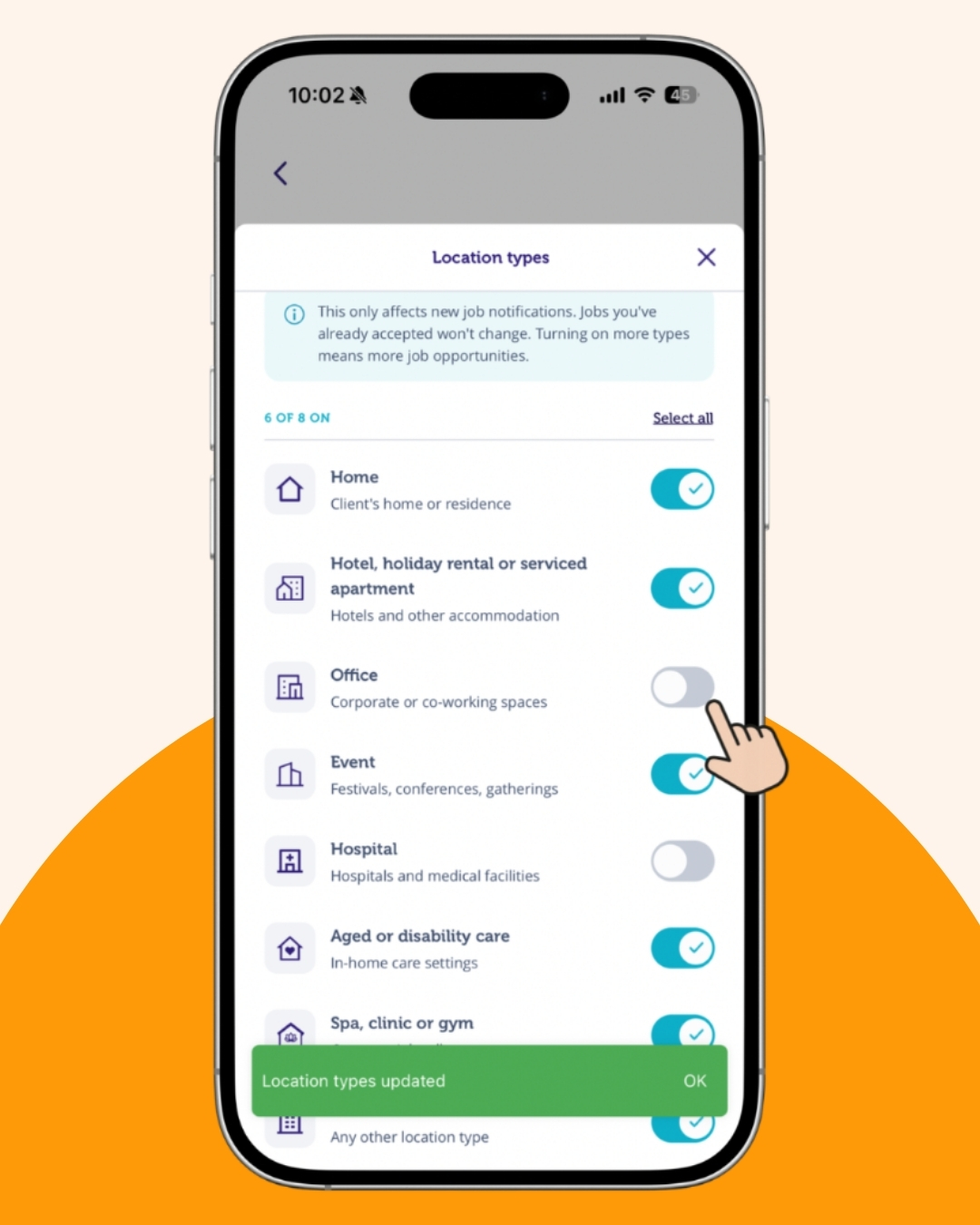
6. You’ll now be able to view the updated location types in your settings.
For PC
Prefer managing things from your computer? Here’s how:
1. Open the website and click on Pro Dashboard.
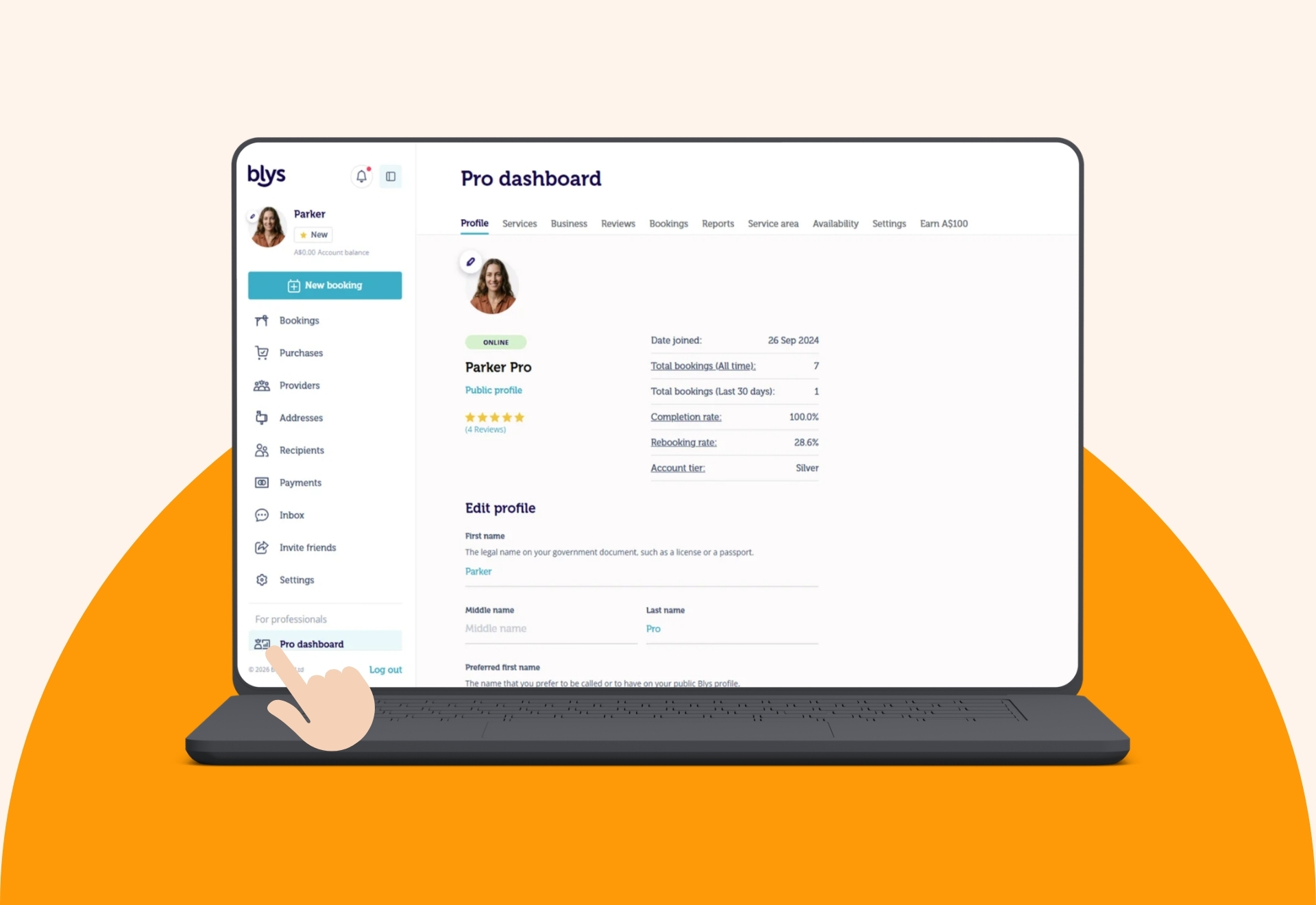
2. Go to Settings.
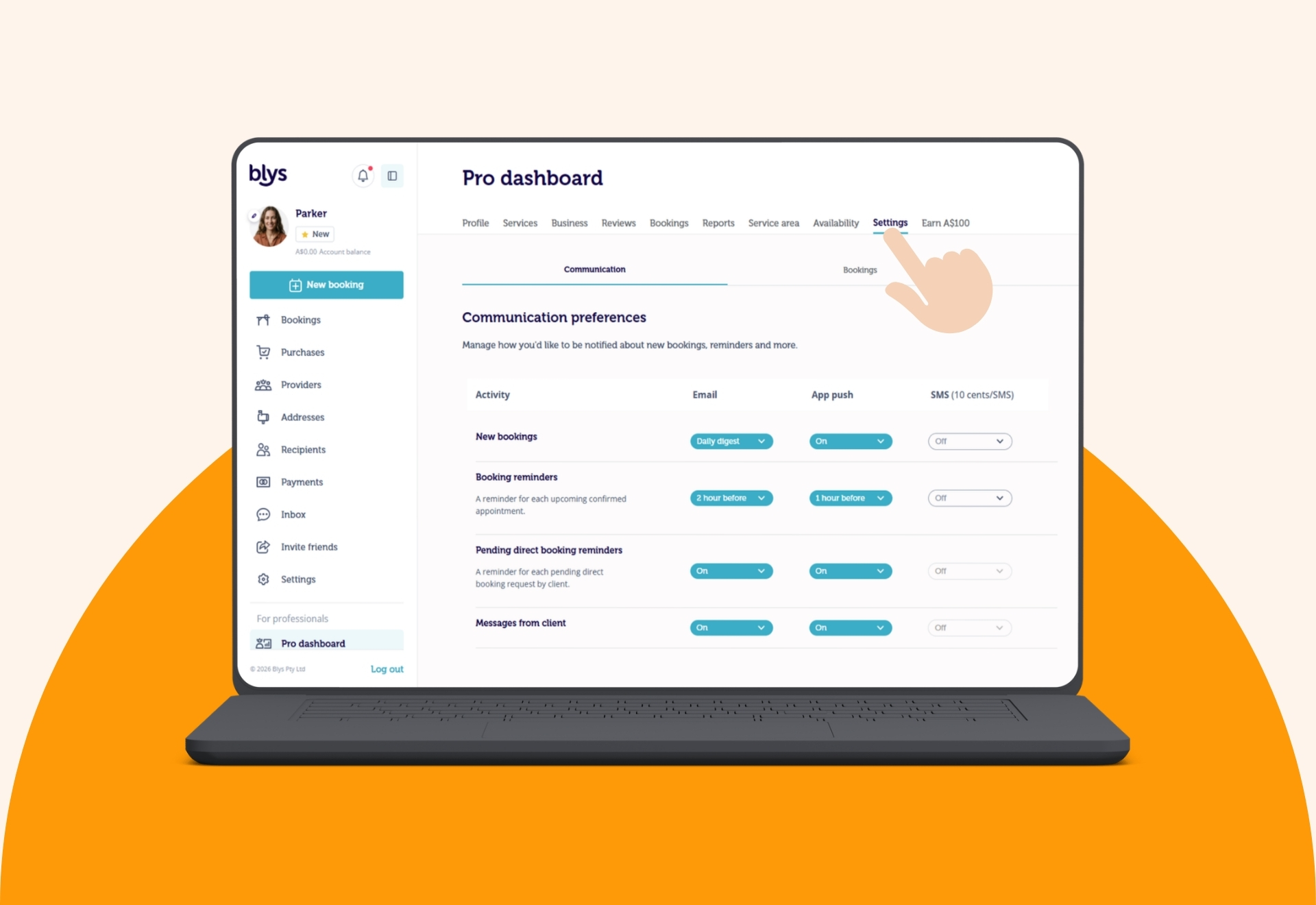
3. Tap the drop-down option in Location Types under Bookings.
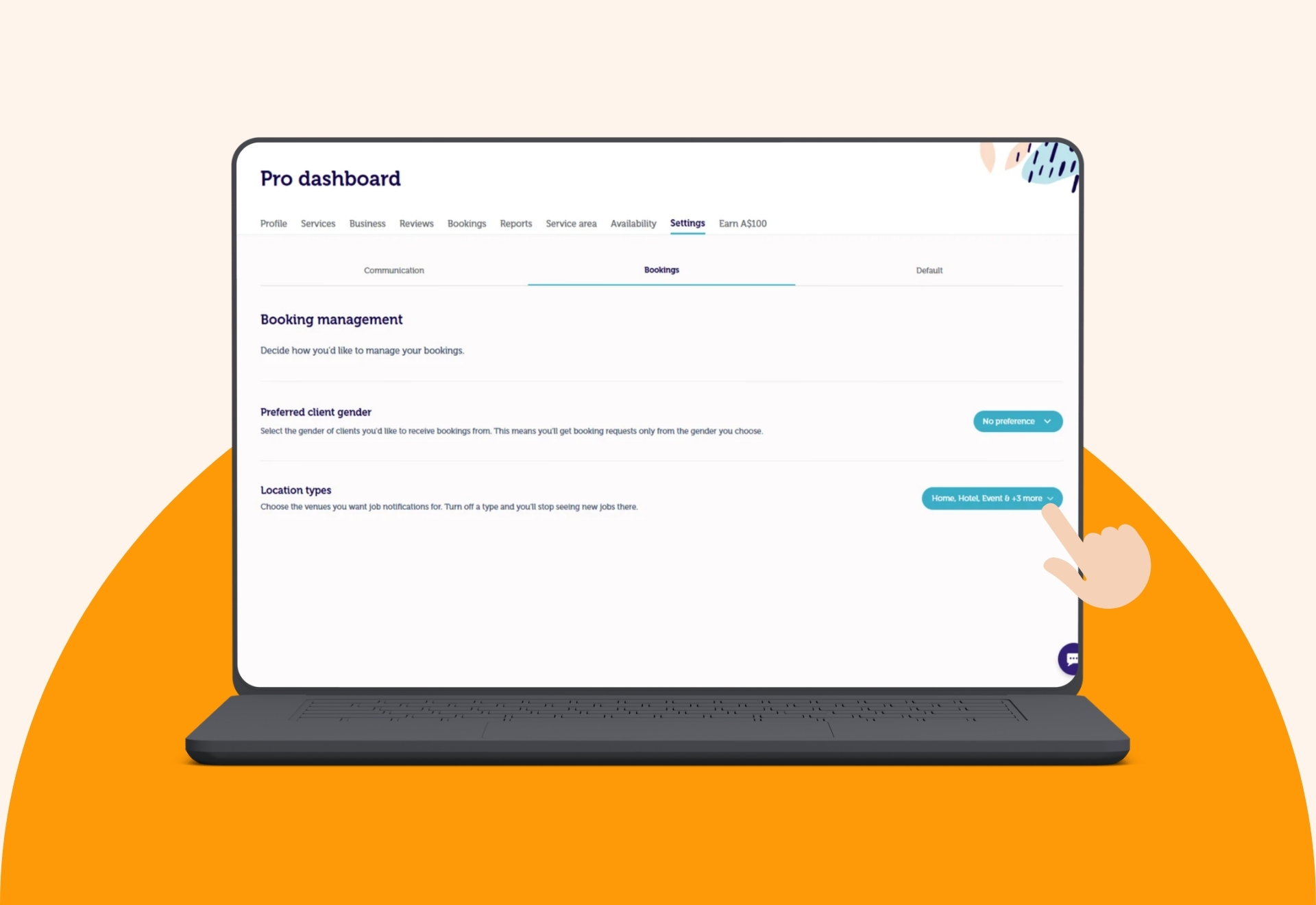
4. Turn each location type on or off based on the job requests you want to receive.
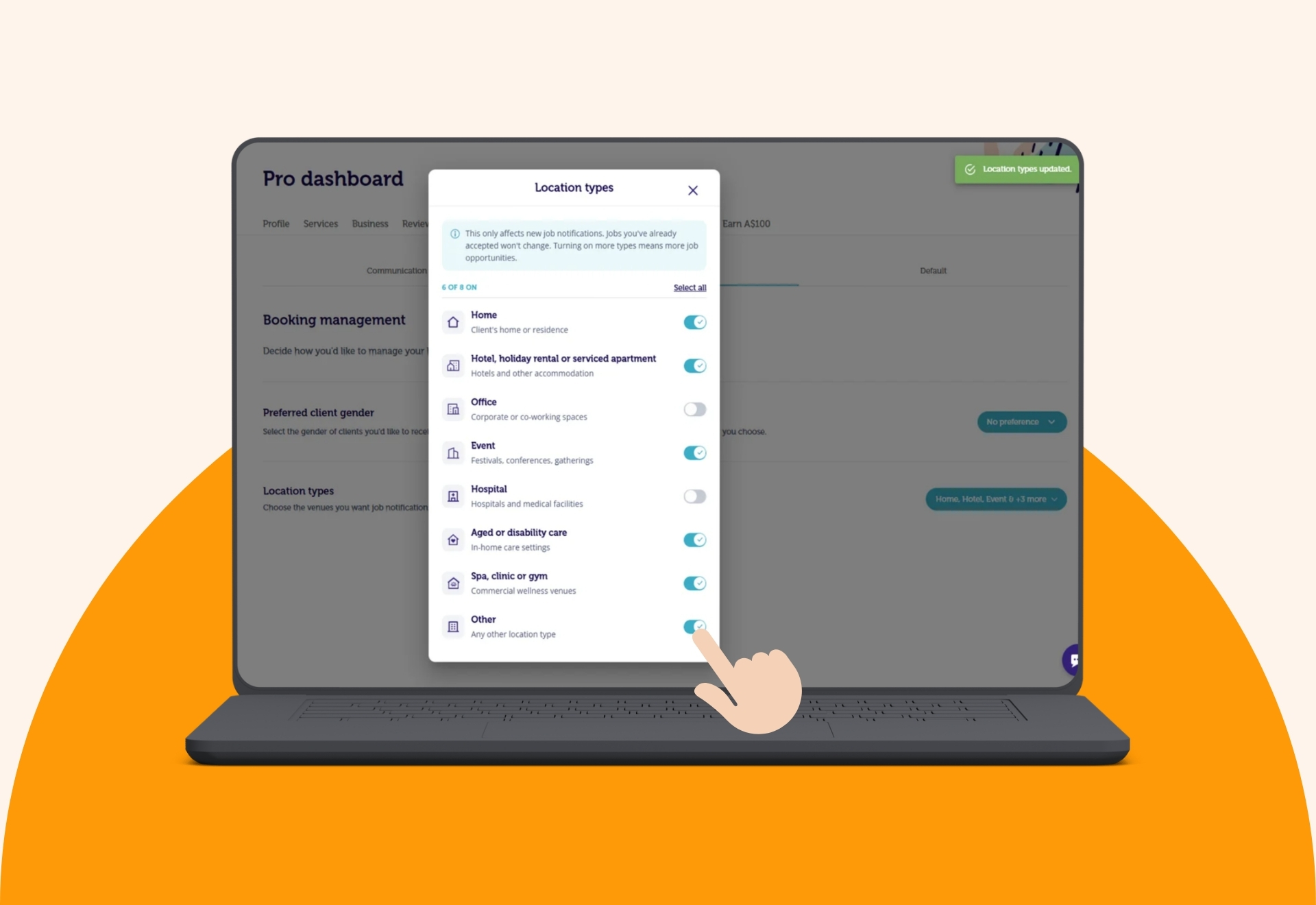
5. You’ll now be able to view the updated location types in your settings.
Available Location Types
- Home: the client’s residence
- Hotel: a hotel or other accommodation
- Office / Workplace: a corporate or co-working space
- Event: a festival, conference, or gathering
- Home Care: an in-home care setting
- Hospital / Aged Care: a hospital or aged care facility
- Spa, Clinic & Gym: a commercial wellness venue
- Other: any other location type
The Other category is doing a lot of quiet, unglamorous work here, covering whatever nobody thought to name specifically.
At least one location type needs to stay selected, so switching everything off entirely isn’t an option, but narrowing things down to exactly the venues you actually want is.
When This Actually Matters
Avoiding Venues That Don’t Suit You
If aged care facilities, events, or a specific setting just aren’t your thing, whether that’s about comfort, logistics, or simply preference, switching that category off means you stop seeing those requests altogether instead of declining them one by one.
Specialising in a Specific Setting
If most of your work happens in one kind of venue, corporate offices, say, or private homes, narrowing your location types down to match keeps your job requests focused on exactly the kind of bookings you’re actually building a reputation around.
Widening Your Options When Bookings Are Slow
Every location type starts switched on by default, which is either exactly what you want or the reason your calendar’s been throwing surprises at you. On a quieter week, turning a few extra categories back on is an easy way to see more of what’s actually available without changing anything else about your profile.
What Happens After You Update Your Preferences
Changes apply to future job notifications only. Anything you’ve already accepted stays exactly as it is. Location Type Preferences also work alongside your existing service area settings and your availability preferences, so all three work together to shape exactly which jobs land in front of you.
Fewer Irrelevant Requests, More of What Actually Suits You
Better filtering means less time scrolling past requests you were always going to decline, and more time seeing the bookings that actually fit how you work.
Give it a try next time you’re updating your profile settings.
Got feedback on what we should build next? Drop us a message, we’re always listening.
Got questions? Just reach out to our support team – we’re here for you.